Azure Virtual Desktop (AVD) Services & Managed AVD Partner

Plan, deploy, migrate and manage secure, scalable Azure Virtual Desktop environments with a Microsoft-validated AVD Specialization Partner.


Secure, Scalable Virtual Desktops for the Modern Workforce

Azure Virtual Desktop delivers the biggest business impact for teams that require the flexibility to work securely from anywhere with maximum performance, and costs under control.

ProArch is a Microsoft Solutions Partner for Infrastructure (Azure) and holds an Azure Virtual Desktop Specialization. Our Microsoft AVD experts support the complete AVD lifecycle, from readiness assessment and proof of concept to production deployment and ongoing management.

img-01

when to choose AVD

Is Azure Virtual Desktop Right for Your Business?

Azure Virtual Desktop is a strong fit for organizations looking to improve workforce flexibility, security, and IT efficiency. It is especially valuable for

icon

Organizations supporting a hybrid or remote workforce

icon

Organizations running legacy RDS or on-premises VDI environments

icon

Businesses migrating from Citrix, VMware Horizon or hosted desktop platforms

icon

Companies facing long hardware lead times or device refresh cycles

icon

Businesses needing secure access for contractors or third parties

icon

Enterprises with compliance or data residency requirements


END-TO-END AZURE VIRTUAL DESKTOP SERVICES

Build, Migrate, and Optimize Your AVD Environment

Our Azure Virtual Desktop services help you build a secure, scalable, and cost-efficient environment tailored to your users, workloads, and business goals.


Azure Virtual Desktop Consulting & Advisory

Define a secure, scalable AVD architecture and a practical roadmap aligned with your business, user, and workload requirements.

  • Assess your current infrastructure, applications, users, and workloads
  • Define business, security, compliance, and performance requirements
  • Design the target AVD architecture and deployment approach
  • Evaluate licensing, capacity, and estimated Azure costs
  • Create a phased implementation and migration roadmap

AVD Planning & Proof of Concept

Validate your AVD architecture, applications, performance, security, and costs before moving to a wider rollout.

  • Design production-aligned host pools for priority users and workloads
  • Configure Microsoft Entra ID, FSLogix, networking, and access controls
  • Test application compatibility and user experience
  • Validate performance, security, manageability, and cost efficiency
  • Document findings and recommendations for full deployment

AVD Deployment Services & Implementation

Deploy a secure, production-ready Azure Virtual Desktop environment tailored to your users, applications, and business needs.

  • Configure pooled or personal host pools and session hosts
  • Implement FSLogix profiles and application delivery
  • Integrate Microsoft Entra ID, MFA, and role-based access
  • Apply Conditional Access, security, and compliance controls
  • Set up monitoring, documentation, and operational handoff

AVD Migration Services

Migrate from legacy RDS, Citrix, VMware Horizon, hosted desktops, or other VDI platforms to Azure Virtual Desktop with minimal disruption.

Planning a platform-specific migration? Explore our guides for moving from RDS to Azure Virtual Desktop or Citrix to Azure Virtual Desktop.

  • Assess applications, profiles, dependencies, and user groups
  • Design a phased migration and coexistence approach
  • Run a pilot with representative workloads and users
  • Migrate applications, data, profiles, and access configurations
  • Support production cutover, validation, and stabilization

AVD Security & Cost Optimization

Strengthen security, improve performance, and control Azure costs across your AVD environment.

  • Implement least-privilege access, MFA, and Conditional Access
  • Monitor session health, availability, and user experience
  • Right-size session hosts and optimize workload placement
  • Image lifecycle management and ongoing cost visibility
 

OUR PROVEN APPROACH TO AVD DELIVERY

A Proven Framework for AVD Success

Our ProArch’s structured framework helps you reduce risk, accelerate adoption, and keep your AVD environment secure, efficient, and ready to scale.

Step 01

Plan & Design Your Azure Virtual Desktop Environment

  • Assess current desktop infrastructure, goals, security requirements, and AVD readiness.
  • Identify workloads, user personas, application dependencies, and licensing needs.
  • Create a target AVD architecture, proof-of-concept plan, and cost model.
 
Step 02

Validate AVD Performance Before Full Deployment

  • Launch an AVD pilot with representative users, applications, and workloads.
  • Validate performance, security, application compatibility, and user experience.
  • Collect user feedback, resolve issues, and refine configurations for production.
 
Step 03

Deploy and Optimize Azure Virtual Desktop

  • Roll out a secure, production-ready AVD environment in phases.
  • Integrate AVD with Microsoft 365, Microsoft Defender, Intune, and Microsoft Entra ID.
  • Configure autoscaling, FSLogix profile containers, monitoring, and cost controls.
 
Step 04

Manage and Continuously Improve AVD

  • Continuously monitor session health, patch systems, and manage desktop images.
  • Tune performance, strengthen security, and provide responsive user support.
  • Optimize capacity, costs, and compliance as your workforce and business needs evolve.
 

AVD SOLUTIONS FOR BUSINESS

Azure Virtual Desktop Projects Built Around Your Business

From legacy VDI replacement and industry-specific deployments to business continuity, ProArch delivers secure, scalable AVD solutions tailored to your users, workloads, and operational goals.

 
icon

VDI and RDS Replacement: Migration from Citrix, VMware Horizon, and RDS to AVD with cost optimization and simplified management.

icon

End-of-Life Hosted Infrastructure: Replace aging Rackspace or hosted desktop environments with AVD without the disruption of a traditional migration.

icon

Incident Response & Business Continuity: AVD environments pre-configured for rapid deployment during outages or ransomware events.

icon

Manufacturing & IoT: Role-based access and security hardening for plant managers and executives using  Microsoft Entra ID and Intune.

icon

Education & Research: Lab virtualization for academic institutions, enabling students to access lab software remotely.

icon

Energy & Utilities: Secure desktop access for field teams and contractors, with Azure File Sync integration.

YOUR TRUSTED MICROSOFT AVD PARTNER

Managed AVD Services Without the Operational Burden

  • A fully managed AVD environment tailored to your users, workloads, and business goals.
  • Secure, seamless access from any device—desktop, laptop, tablet, or phone.
  • Rapid deployment, with many organizations up and running in as little as 3 months.
  • Proven AVD expertise, with a Microsoft partner managing the complexities.
image
 

Case Study

Lionbridge Accelerates
Global Delivery with Azure Virtual Desktop

ProArch client - Lionbridge

ProArch was instrumental in helping us design and implement the total AVD solution, starting with a pilot. The pilot solution launched in the Madrid office and proved effective, serving as a springboard for the long-term success we’ve experienced throughout our global operations. VP of IT, Lionbridge

ProArch Case Study Lionbridge Embraces Cloud

Resources

Azure Virtual Desktop Resources

Blog

Moving to AVD Part 3: VMWare Horizon to Azure Virtual Desktop (AVD)

Blog

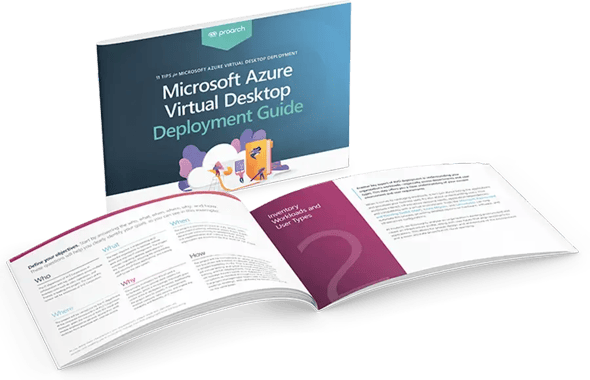
How to Deploy Azure Virtual Desktop the Right Way: 11 Best Practices for AVD

Blog

Webinar Recap:  Azure Virtual Desktop for Incident Responses


Ready to Plan Your Azure Virtual Desktop Journey?

Start with a secure, scalable AVD plan tailored to your users, applications, security needs, and budget.

Frequently Asked Questions

What is Azure Virtual Desktop and how does it work?

Azure Virtual Desktop (AVD) is Microsoft’s cloud-based desktop and application virtualization service. It runs Windows desktops and apps on Azure session hosts, while users connect securely from supported devices; host pools, user profiles, identity, networking, and access policies work together to deliver the experience.

Where can I get end-to-end AVD deployment support?

ProArch is an AVD implementation partner providing end-to-end deployment support—from assessment, architecture, and proof of concept through migration, security, production rollout, optimization, documentation, and ongoing management.

How much does Azure Virtual Desktop cost?

AVD cost depends on user licensing and the Azure resources consumed, like virtual machines, storage, networking, identity, and supporting services.

The final cost depends on user count, workloads, performance needs, and operating hours. ProArch design AVD architecture to optimize costs and savings based on your business needs.

How long does an Azure Virtual Desktop migration take?

A typical AVD migration can take several weeks to a few months. The timeline depends on the

  • Number of users and applications
  • Identity and network readiness
  • Application compatibility and security requirements
  • The complexity of the existing VDI or RDS environment.

Following an assessment, ProArch develops a migration plan based on the organization’s environment and priorities.

Is Azure Virtual Desktop included in Microsoft 365 licensing?

Azure Virtual Desktop access is included with certain Microsoft 365 and Windows licenses, but Azure infrastructure, storage, and usage costs are billed separately. Licensing requirements vary depending on user type and deployment model.

How secure is Azure Virtual Desktop for enterprise use?

AVD can support enterprise security through Microsoft Entra ID, multifactor authentication, Conditional Access, role-based access control, network segmentation, centralized policy enforcement, and integration with Microsoft Defender and Intune. Security still depends on a correctly designed, configured, monitored, and governed environment.

Can Azure Virtual Desktop support legacy applications?

Yes. AVD can deliver many legacy Windows and line-of-business applications without requiring an immediate rewrite. ProArch assesses dependencies and compatibility, validates priority applications in a pilot, and recommends remediation, packaging, or an alternative delivery approach where needed.

How are applications installed and managed on AVD?

Applications can be installed in a standardized session-host image or delivered separately as published apps, based on user and workload needs. Teams typically use controlled image management, application packaging, phased testing, update processes, and tools such as Intune or App Attach to keep delivery consistent and reduce disruption.

Why should I choose ProArch as my AVD implementation partner?

ProArch provides Azure Virtual Desktop consulting, proof-of-concept planning, deployment, migration, security optimization, cost optimization, and ongoing management.

As a Microsoft Solutions Partner, ProArch supports the complete AVD lifecycle, from readiness assessment and architecture design to production deployment and continuous improvement.

What tools does ProArch use to optimize AVD environments?

ProArch uses native Microsoft capabilities such as Azure Virtual Desktop Insights and Azure Monitor for visibility, autoscale for capacity and cost control, FSLogix for profile management, Azure Cost Management for spend analysis, and Microsoft Defender, Intune, and Entra ID for security and endpoint governance. The toolset is tailored to each environment.

What types of customers does ProArch work with?

ProArch works with organizations of different sizes and industries that need secure, flexible access to desktops and applications.

Common needs include supporting hybrid teams, replacing Citrix, VMware Horizon, RDS, or hosted desktops, enabling contractors and field users, virtualizing labs, strengthening business continuity, and meeting compliance requirements.