

Migrate Your Data Workloads to Microsoft Fabric

ProArch assesses, plans, and executes phased Microsoft Fabric migrations that reduce platform complexity, strengthen data governance, and build a trusted foundation for analytics and AI.

Move What Matters. Modernize Where It Adds Value.

A Microsoft Fabric migration should not simply replicate your current data estate.

Moving duplicated reports, fragile pipelines, siloed data, and inconsistent governance as-is only recreates existing problems.

ProArch identifies what to migrate, redesign, retain, or retire—building a Fabric environment around the workloads your business needs.

image-icon

START WITH THE RIGHT MIGRATION DECISIONS

Not Sure What Should Move to Microsoft Fabric?

Before anything moves, ProArch helps you answer the questions that shape a successful Microsoft Fabric migration


img-01

WHAT PROARCH DELIVERS

Microsoft Fabric Migration Services

ProArch helps you assess, plan, migrate, validate, and optimize data and analytics workloads moving from Azure Synapse, Azure Data Factory, Power BI, SQL platforms, and legacy data environments to Microsoft Fabric.


Migration Assessment and Planning

Identify what can move to Fabric, what needs redesign, the best migration sequence, and the expected costs and savings.

Schema, Pipeline, and Workload Migration

Accelerate migration with automation that converts and transfers data schemas, pipelines, workflows, and Power BI reports to Fabric.

Data Validation and Testing

Validate migrated data by comparing legacy and Fabric environments, resolving discrepancies, and ensuring accuracy before production.

Production Cutover and Legacy Retirement

Plan the production transition, prepare rollback procedures, and securely retire legacy platforms after validating data, integrations, and business processes.

Performance Optimization and Team Enablement

Optimize Fabric performance, capacity, and costs after go-live, then train your team to confidently manage and scale the platform.

img-01

WHAT CAN BE MIGRATED TO MICROSOFT FABRIC

What Can You Migrate to Microsoft Fabric?

ProArch evaluates each workload to determine what can migrate, what needs redesign, and what should remain on the existing platform.

icon

Current Platform or Workload

Power BI reports and semantic models

Power BI Premium capacity (P SKU)

Azure Synapse dedicated SQL pools

Azure Synapse Spark, notebooks, and Spark jobs

Azure Data Factory or Azure Synapse pipelines

Azure Analysis Services models

Azure SQL Database, SQL Server, or legacy data warehouses

icon

Recommended Microsoft Fabric destination

Power BI on Fabric capacity

Microsoft Fabric capacity (F SKU)

Fabric Data Warehouse

Fabric Data Engineering

Fabric Data Factory

Power BI semantic models

Fabric SQL Database, Data Warehouse, or Lakehouse—depending on workload


VALIDATE BEFORE YOU MIGRATE

Still Deciding Whether Microsoft Fabric Is the Right Fit?

With ImpactNOW, ProArch validates Microsoft Fabric against your objectives and your own data before you make a broader platform investment.


FABRIC CASE STUDY

See How an Energy Trading Firm Validated Microsoft Fabric Before Scaling

Using ImpactNOW, the company validated Microsoft Fabric for evolving analytics requirements, giving leadership an evidence-backed roadmap to scale with confidence.
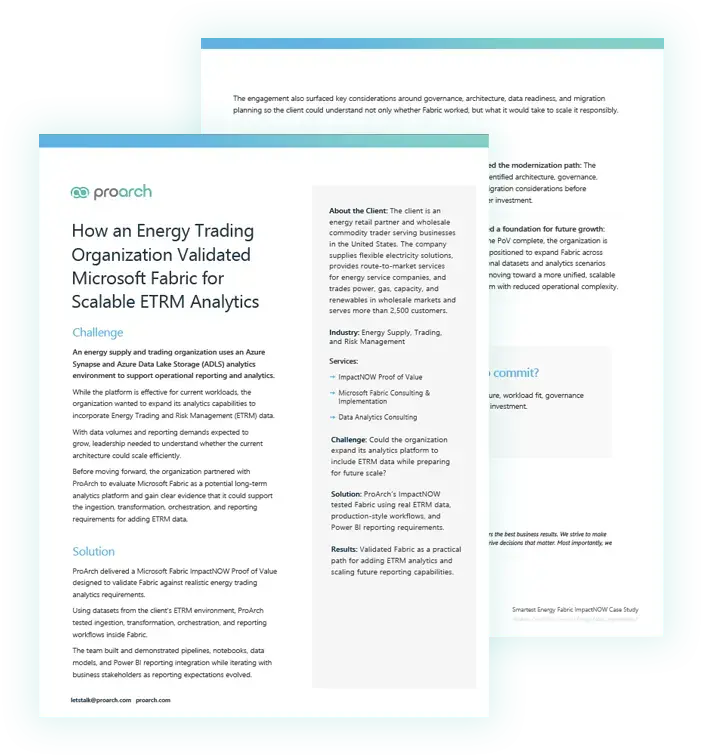
How an Energy Trading Organization Validated Microsoft Fabric for Scalable ETRM Analytics inside pages

BENEFITS OF MOVING TO MICROSOFT FABRIC

What Can a Microsoft Fabric Migration Help You Improve?

icon

Reduce disconnected data silos and duplicated data

icon

Spend less time maintaining data systems

icon

Give business users faster access to trusted insights

icon

Strengthen governance as your data estate grows

icon

Build an AI-ready data foundation on Fabric

YOUR MICROSOFT FABRIC MIGRATION PARTNER

Proven Expertise for a Smarter Microsoft Fabric Migration

  • Microsoft Fabric Featured Partner
  • Business-first migration strategies that validate workloads before migration
  • Deep expertise across expertise across Power BI, Azure Synapse, Azure Data Factory, SQL platforms, data warehouses, governance, and AI workloads
  • End-to-end Fabric migration planning, testing, cutover, and on-going optimization

image

Knowledge & Insights

Microsoft Fabric Migration Guidance
Migrate Power BI reports to Microsoft Fabric by ProArch
Blog

How to Migrate Power BI Reports to Microsoft Fabric: Steps and Common Challenges

Blog

Power BI to Microsoft Fabric Migration: What Stays, Which Reports Move First, and When to Redesign Semantic Models

Blog

What Is Microsoft Fabric? A Practical Guide for Enterprises


Build a Clear Path to Microsoft Fabric

Assess your current environment, identify what should move or be redesigned, and create a phased migration roadmap based on your workloads, dependencies, effort, and capacity requirements.

Frequently Asked Questions

How do you assess whether a workload should be migrated or redesigned?

We evaluate your existing data sources, platforms, workloads, dependencies, performance, and business requirements to determine the best migration approach.

Some workloads can be migrated with minimal changes, while others benefit from redesigning to take advantage of Microsoft Fabric’s unified architecture, OneLake, and integrated analytics capabilities.

Do we need to migrate everything to Microsoft Fabric?

No. A successful Microsoft Fabric migration does not require every existing workload to move.

ProArch determines which workloads should migrate, which should be redesigned, which can remain on an existing platform, and which can be retired. This helps avoid carrying unnecessary cost, complexity, and technical debt into Fabric.

How long does a Microsoft Fabric migration take?

The timeline depends on the size and complexity of your environment. A focused migration may take several weeks, while an enterprise migration involving multiple data sources, pipelines, reports, integrations, governance requirements, and legacy platforms can take several months.

We recommend starting with ImpactNOW, our proven framework for validating a priority Microsoft Fabric use case against your data and business goals. It helps identify the right workloads to migrate, estimate the effort and timeline, and confirm whether Fabric will deliver meaningful value for your organization.

Every migration is different. Contact ProArch for an assessment and estimated timeline based on your environment.

Can ProArch migrate Azure Synapse to Microsoft Fabric?

Yes. ProArch helps organizations migrate Azure Synapse Analytics workloads to Microsoft Fabric, including data warehouses, Spark workloads, notebooks, pipelines, and reporting assets.

Can Azure Data Factory pipelines be migrated to Fabric Data Factory?

Yes. We assess your existing Azure Data Factory pipelines and migrate or modernize them for Fabric Data Factory. Where appropriate, we automate pipeline conversion while validating data movement, orchestration, and scheduling.

How does Power BI Premium migrate to Fabric capacity?

Microsoft Fabric builds on the Power BI platform, allowing eligible Power BI Premium capacities and workspaces to transition to Fabric capacity.

ProArch helps plan licensing, workspace migration, capacity sizing, governance, and report validation to ensure a seamless transition.

How do you validate data, pipelines, and reports after migration?

We perform comprehensive validation by running legacy and Fabric environments in parallel, reconciling data outputs, testing pipelines, and verifying report accuracy and performance. This ensures business users can trust migrated data before production cutover.

What happens to the legacy platform after migration?

After successful validation and production cutover, we can help you decommission legacy platforms in a controlled manner.

This includes confirming data integrity between Microsoft Fabric and legacy platforms retiring integrations, archiving or backing up required assets, and eliminating unnecessary infrastructure to reduce ongoing costs.

Can Microsoft Fabric and our legacy platform run in parallel?

Yes. Running both environments in parallel is a recommended migration strategy for many organizations. It allows you to compare outputs, validate workloads, resolve discrepancies, and reduce migration risk before fully transitioning to Microsoft Fabric.