
Microsoft 365 Copilot Consulting, Deployment, and Adoption Services
ProArch helps organizations evaluate Microsoft 365 Copilot readiness, deploy Microsoft 365 Copilot securely, and drive long-term adoption.
MICROSOFT 365 COPILOT READINESS
Not Sure Where to Start with Microsoft 365 Copilot?
ProArch's Microsoft 365 Copilot Smart Start combines readiness assessment, deployment planning, governance reviews, and adoption planning into a single engagement designed to accelerate successful implementation.
Turn Microsoft 365 Copilot Into Measurable Business Value
Microsoft 365 Copilot has the potential to transform how employees work but realizing that value takes more than simply turning on licenses.
ProArch helps organizations identify high-value use cases, prepare their environment, deploy Copilot securely, drive adoption, and extend its impact with agents and automation.
MICROSOFT 365 COPILOT CONSULTING SERVICES
Microsoft 365 Copilot Services From Readiness Through Adoption
ProArch provides end-to-end Microsoft 365 Copilot services across strategy and readiness, deployment, security and governance, Copilot agents and automation, and user adoption.
Copilot Strategy & Readiness
Establish a clear vision for Microsoft 365 Copilot, identify high-value use cases, understand readiness gaps, and create a roadmap for adoption that aligns AI investments with business goals.
- Microsoft 365 Copilot Smart Start
- Microsoft 365 Copilot Use Case Discovery
- Microsoft 365 Copilot Executive Briefings
- Microsoft 365 Copilot Roadmap Development
Copilot Deployment & Implementation
Deploy Microsoft 365 Copilot with the configurations, controls, and operational foundation needed to support users, scale adoption, and maximize value from day one.
- Microsoft 365 Copilot Configuration
- Microsoft Entra Tenant Preparation
- Licensing & Technical Readiness
- Microsoft 365 Copilot Rollout Planning & Deployment
Copilot Security & Governance
ProArch helps businesses assess data exposure risks, improve Microsoft 365 governance, and establish the controls needed for secure Copilot adoption.
- Microsoft Data & AI Risk Review
- Microsoft Purview Data Security Services
- AI Usage Policy Development
Copilot Agents & Business Automation
Extend Microsoft 365 Copilot beyond personal productivity with agents and AI-powered workflows that connect business data, automate processes, and deliver faster decisions.
- Microsoft 365 Copilot Agent Development
- Microsoft 365 Copilot Agent Strategy & Use Case Discovery
- Enterprise Data Integration
- Workflow Automation
Adoption & Strategic Advisory
Help employees adopt Copilot confidently and establish the processes, governance, and support needed to sustain long-term business impact.
- Adoption & ROI Tracking
- Role-Based Copilot Training
- Microsoft 365 Copilot Center of Excellence
- Change Management
- Virtual Chief Copilot Officer
Proarch’s Team
Behind Schedule on Your Copilot Rollout?
Talk to our Copilot experts to fully leverage Microsoft 365 Copilot and align it with your workflows, goals, and tech stack.

MICROSOFT 365 COPILOT CASE STUDY
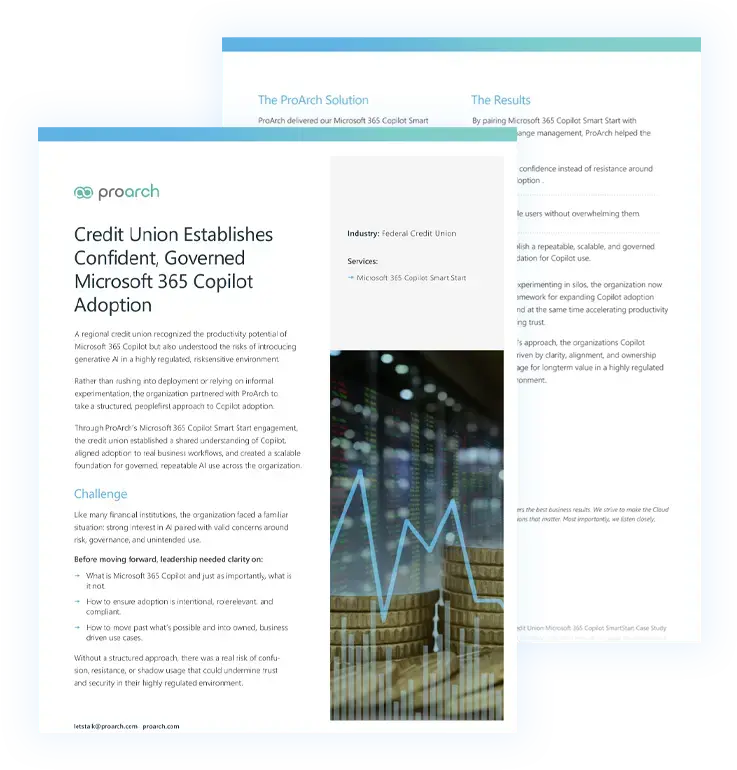
Credit Union Builds a Secure Foundation for Microsoft 365 Copilot Adoption
Through a Microsoft 365 Copilot Smart Start engagement, ProArch helped a credit union assess readiness, align Copilot to business priorities, and establish the governance needed to support secure, scalable adoption.
GET HELP FUNDING YOUR COPILOT INITIATIVE
Explore Microsoft-Funded Support for Copilot Adoption
Eligible organizations may qualify for Microsoft funding to help offset the cost of Copilot planning, readiness, deployment, and adoption services delivered by ProArch.
WHY PROARCH
Why Organizations Choose ProArch for Microsoft 365 Copilot
- Strategy, deployment, security, governance, and adoption from one partner
- Proven Microsoft 365 Copilot readiness and implementation framework
- Expertise across Microsoft 365, Entra, Purview, and Microsoft Security
- Copilot agent development and business automation capabilities
- Adoption programs designed to maximize business value from Microsoft 365 Copilot
Knowledge & Insights
Microsoft 365 Copilot Insights
Frequently Asked Questions
What is the difference between Microsoft Copilot and Microsoft 365 Copilot?
Microsoft Copilot is a broad term Microsoft uses for AI assistants across its ecosystem (including Windows, GitHub, Security, and Dynamics products).
Microsoft 365 Copilot, specifically, refers to the AI capabilities embedded inside Microsoft 365 applications such as Word, Excel, Outlook, Teams, and PowerPoint. It uses your organization’s Microsoft Graph data to generate content, summarize meetings, analyze information, and automate workflows within your secure Microsoft 365 environment.
Is Microsoft 365 Copilot included with Microsoft 365?
Microsoft 365 Copilot is not included with every Microsoft 365 plan. Many business and enterprise customers need a separate Microsoft 365 Copilot license, while some plans, including Microsoft 365 E7, include Microsoft 365 Copilot as part of the subscription.
Eligible Microsoft 365 business and enterprise subscriptions may also include Microsoft 365 Copilot Chat at no additional cost. Copilot Chat provides secure AI chat with enterprise data protection, but the full Microsoft 365 Copilot license adds deeper work grounding and Copilot capabilities across Microsoft 365 apps.
Is Microsoft 365 Copilot secure for enterprises?
Microsoft 365 Copilot is designed with enterprise-grade security, privacy, and compliance protections, but organizations still need appropriate data governance and access controls.
Microsoft 365 Copilot respects existing Microsoft 365 identities, user permissions, sensitivity labels, retention policies, and administrative controls.
Copilot can also surface information that users already have permission to access. Organizations should review oversharing, permissions, sensitive data, and governance policies as part of a secure Copilot rollout.
Can Microsoft 365 Copilot be customized for specific business workflows?
Yes. Microsoft 365 Copilot can be extended with agents, connectors, APIs, and workflow automation to support specific business processes.
How long does Copilot implementation take?
Microsoft 365 Copilot implementation timelines vary based on organizational readiness, governance requirements, deployment scope, and adoption goals.
A smaller pilot can typically move faster than an enterprise-wide rollout. ProArch recommends a phased deployment approach that starts with strategy and readiness, protects sensitive data, launches Copilot with a limited group of users, measures results, and then expands deployment.
Do I need to clean up SharePoint and OneDrive before enabling Copilot?
You do not necessarily need to clean up every SharePoint site and OneDrive account before enabling Microsoft 365 Copilot, but you should review permissions, oversharing, and sensitive data before a broad rollout.
Microsoft 365 Copilot uses information that users already have permission to access. If SharePoint or OneDrive contains broadly shared, outdated, or sensitive information with inappropriate permissions, Copilot may make that information easier for authorized users to discover.
What Microsoft 365 Copilot readiness services help enterprises secure data access before rollout?
Before rolling out Microsoft 365 Copilot, enterprises should review data permissions, access controls, oversharing, sensitivity labels, and governance policies. A Microsoft Data & AI Risk Review identifies security and governance gaps, prioritizes remediation, and helps ensure Copilot accesses only appropriately governed data.
How much does Microsoft Copilot cost?
Microsoft 365 Copilot for enterprise is currently priced at $30 per user per month in the U.S. with an annual subscription, and it requires a qualifying Microsoft 365 plan unless Copilot is already included in the subscription.
The total cost of a Copilot deployment may also depend on:
- Number of licensed users
- Existing Microsoft 365 plan
- Deployment complexity
- Security and governance requirements
- Integration needs
Because Copilot value varies by use case and maturity, many organizations begin with a readiness assessment or pilot program to validate ROI before full rollout.
How does Microsoft 365 Copilot compare to ChatGPT?
Microsoft 365 Copilot and ChatGPT are both AI assistants, but they are designed around different platforms and enterprise workflows.
Microsoft 365 Copilot operates inside your Microsoft 365 tenant and uses your organization’s Microsoft 365 data securely. ChatGPT is a general-purpose AI tool and does not have native access to your internal Microsoft 365 environment unless integrated separately.
The right platform depends on the organization’s use cases, technology environment, governance requirements, and AI strategy.
How do I measure ROI from Microsoft 365 Copilot?
Microsoft 365 Copilot ROI should be measured using a combination of adoption, productivity, business outcome, and financial metrics.
ROI is typically measured through:
- Time saved per employee
- Reduction in manual reporting
- Faster document creation
- Improved meeting productivity
- Increased cross-team collaboration
- Reduced reliance on third-party tools
Organizations should establish baseline metrics before deployment and compare them with results after Copilot adoption.